Apply the admission rule for the Perplexity product you actually call. Keep Sonar model limits, account tier progression and the behavior of newer endpoints separate in your scheduler.
How Perplexity limits work
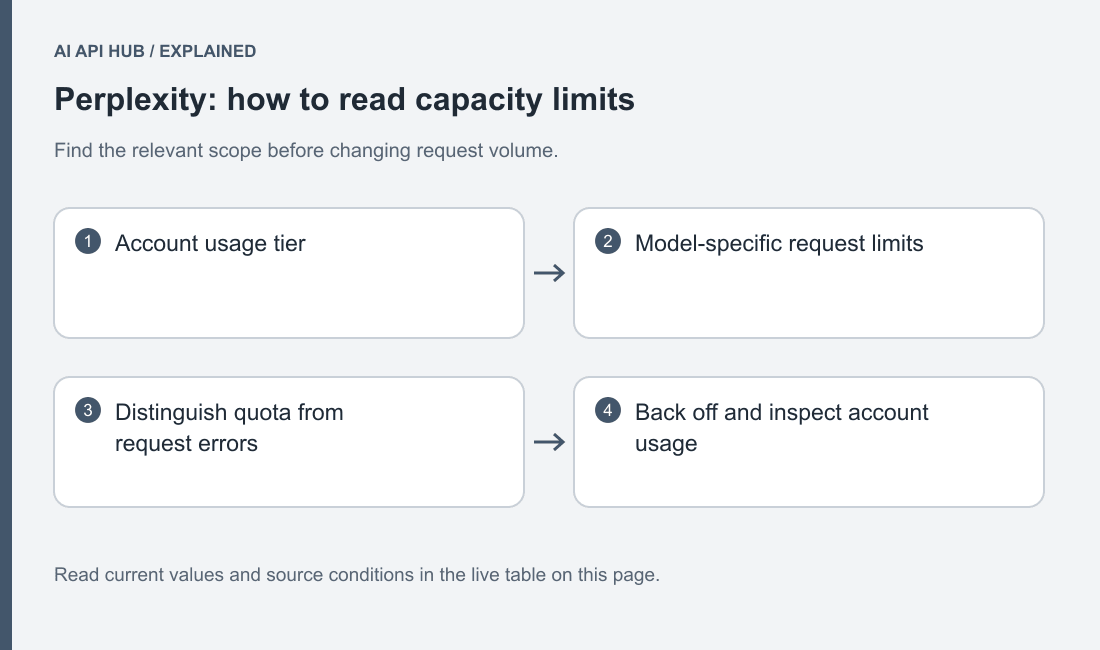
Perplexity’s current reference publishes different rules for Router, Agent, Search, Sonar and Embeddings. Sonar has model-specific RPM entries by usage tier. Agent separately applies product-wide and model admission conditions, while Search has its own query-unit accounting. Official Perplexity documentation.
Build the limiter around a product and route, not only the account label. A worker that performs retrieval and then generation can consume different admission units at each stage. Record those stages separately so a failure at search is not counted as a rejected model completion. This also makes it easier to pause one workload without stopping unrelated tasks.
Keep queue capacity separate from provider capacity. Your application can accept a job for later processing only if it can preserve and explain that waiting state. Give each job a deadline and a stable identifier, and avoid dispatching work after its question has become stale. A bounded queue is more useful than an unbounded list of requests that users assume are already running.
Limits by tier and model
| Model or scope | Tier | Metric | Limit | Notes | Source |
|---|---|---|---|---|---|
Sonarsonar | Tier 0 | RPM | 50 | Sonar API | Official source ↗ |
Sonar Deep Researchsonar-deep-research | Tier 0 | RPM | 5 | Sonar API | Official source ↗ |
Sonar Prosonar-pro | Tier 0 | RPM | 50 | Sonar API | Official source ↗ |
Sonar Reasoning Prosonar-reasoning-pro | Tier 0 | RPM | 50 | Sonar API | Official source ↗ |
Sonarsonar | Tier 1 | RPM | 150 | Sonar API | Official source ↗ |
Sonar Deep Researchsonar-deep-research | Tier 1 | RPM | 10 | Sonar API | Official source ↗ |
Sonar Prosonar-pro | Tier 1 | RPM | 150 | Sonar API | Official source ↗ |
Sonar Reasoning Prosonar-reasoning-pro | Tier 1 | RPM | 150 | Sonar API | Official source ↗ |
Sonarsonar | Tier 2 | RPM | 500 | Sonar API | Official source ↗ |
Sonar Deep Researchsonar-deep-research | Tier 2 | RPM | 20 | Sonar API | Official source ↗ |
Sonar Prosonar-pro | Tier 2 | RPM | 500 | Sonar API | Official source ↗ |
Sonar Reasoning Prosonar-reasoning-pro | Tier 2 | RPM | 500 | Sonar API | Official source ↗ |
Sonarsonar | Tier 3 | RPM | 1,000 | Sonar API | Official source ↗ |
Sonar Deep Researchsonar-deep-research | Tier 3 | RPM | 40 | Sonar API | Official source ↗ |
Sonar Prosonar-pro | Tier 3 | RPM | 1,000 | Sonar API | Official source ↗ |
Sonar Reasoning Prosonar-reasoning-pro | Tier 3 | RPM | 1,000 | Sonar API | Official source ↗ |
Sonarsonar | Tier 4 | RPM | 4,000 | Sonar API | Official source ↗ |
Sonar Deep Researchsonar-deep-research | Tier 4 | RPM | 60 | Sonar API | Official source ↗ |
Sonar Prosonar-pro | Tier 4 | RPM | 4,000 | Sonar API | Official source ↗ |
Sonar Reasoning Prosonar-reasoning-pro | Tier 4 | RPM | 4,000 | Sonar API | Official source ↗ |
Sonarsonar | Tier 5 | RPM | 4,000 | Sonar API | Official source ↗ |
Sonar Deep Researchsonar-deep-research | Tier 5 | RPM | 100 | Sonar API | Official source ↗ |
Sonar Prosonar-pro | Tier 5 | RPM | 4,000 | Sonar API | Official source ↗ |
Sonar Reasoning Prosonar-reasoning-pro | Tier 5 | RPM | 4,000 | Sonar API | Official source ↗ |
Last verified · Source ↗
The live table tracks Sonar model entries from the official tier reference. Do not reuse those rows as Agent, Router or Search limits. Read the official product section for those routes and verify the account’s current tier before increasing traffic.
The published tier progression is based on cumulative credit purchases rather than the current balance. That distinction means a tier label does not itself establish how much funded work remains. Review Perplexity pricing and billing and credit eligibility alongside the admission table. Official Perplexity documentation.
Monitor queue age, dispatch rate, active work, response duration and final task outcome. A slow research response can increase the amount of work your application holds even when new requests are admitted at a steady pace. Keep completion quality in the monitoring record so throughput gains do not hide a rise in incomplete or unusable answers.
How to move up a tier
Follow the official account progression rules and inspect the tier shown in the API console. Do not assume that creating another key or project produces an independent allowance. If your application needs a capacity arrangement beyond the published rules, use the provider’s official support path with concrete workload evidence.
Prepare a description of what the service does, which products it calls and how requests arrive. Include representative task duration and the effect of waiting on the user experience. Explain whether work is interactive or deferrable. Those details help distinguish a burst-handling problem from a sustained capacity need.
After the actual account condition changes, raise admitted work gradually and keep a rollback setting. Check the downstream components that store and render results as well as provider admission. A service that accepts more requests can expose a database bottleneck or make an already weak cancellation path more visible.
Reading limit headers and 429 responses
The current Router section explicitly documents Retry-After for its rate or overload rejections. Preserve that product scope; do not invent the same header contract for every Perplexity endpoint. Inspect the safe headers actually returned by the selected route. Official Perplexity documentation.
The SDK exposes status errors and response information for diagnosis. Record the exception category, status and safe request context. Keep bearer credentials and private prompt text out of logs. A reliable error record identifies the endpoint and operation, because similar status codes can arise under different product rules. Official Perplexity documentation.
For Search workloads, billing and admission can use different units according to the official reference. Model those units independently in a multi-query pipeline. A batch of query strings inside one HTTP request should not automatically be counted as one admission unit merely because the application sent one network operation. Official Perplexity documentation.
Retry strategy the provider recommends
The SDK error guide demonstrates exponential backoff for appropriate rate failures and discourages aggressive retry loops. Use a bounded policy with a total task deadline and retain the final failure state when attempts are exhausted. Authentication or request-validation problems should be corrected rather than endlessly retried. Official Perplexity documentation.
Choose which layer owns retries. Native SDK settings, a queue worker and an application wrapper can each retry independently. If all are enabled without coordination, a single user action can trigger more calls than the dispatch log suggests. Record attempt numbers and configure the client deliberately using the official SDK reference. Official Perplexity documentation.
When a retry is delayed, keep the job’s state visible and release any application resource that is not needed while waiting. Do not hold a database transaction open for the entire delay. On recovery, confirm that the task is still useful and that a previous uncertain response did not already trigger a downstream action.
Check how the worker behaves when it is stopped while requests are waiting. Preserve the task state before acknowledging completion, and make cancellation distinct from a provider rejection. On restart, inspect uncertain tasks before replaying them. A recoverable queue should explain which jobs were never dispatched, which returned a final result and which need investigation. That operational record becomes especially useful when a research task can publish an artifact or trigger another application action after completion.
Batch/async options that bypass limits
Sonar documents an asynchronous submission route with separate create and retrieval operations. Its existence does not establish unlimited admission or a universal batch discount. Use the published rules for each operation and preserve the returned job identifier before polling. Official Perplexity documentation.
The migration guide maps Sonar asynchronous work to Agent background responses. The official Sonar documentation states that Sonar support continues until September 27, 2026 and directs developers to the Agent API migration guide. Official Perplexity documentation. A migration should test submission, retrieval, completion and error states rather than only the final text field. Polling strategy belongs in the application’s capacity plan because status checks are operations too. Official Perplexity documentation.
Use a recoverable local queue for deferrable work and resume only unfinished tasks after a restart. Keep the AI API cost calculator focused on cost assumptions while your scheduler enforces admission separately. Return to the Perplexity API overview and current Python tutorial to verify the product contract before increasing throughput.
Frequently asked questions
Can I apply Sonar RPM rows to Agent?
Is the current credit balance what determines tier?
Does every Perplexity route return Retry-After?
Can an asynchronous endpoint bypass all limits?
Why can retries exceed my expected call count?
What should I monitor while increasing capacity?
Sources
- Product limits and tiers ↗
- SDK errors and backoff ↗
- SDK configuration ↗
- Sonar async contract ↗
- Agent migration ↗
Last verified · Source ↗