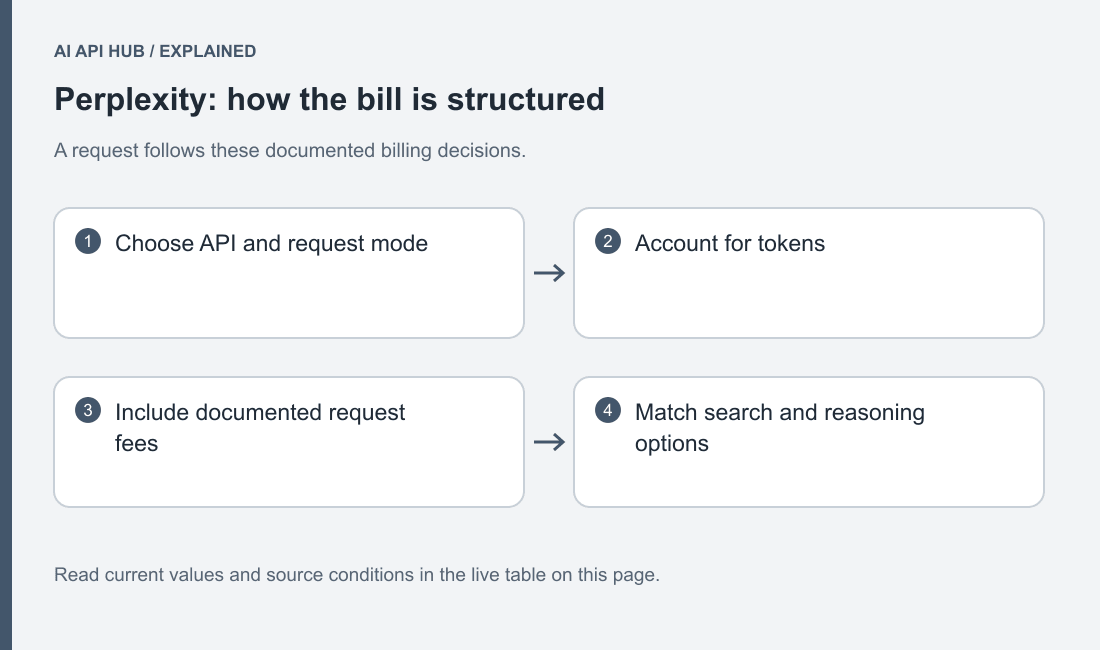
Separate Perplexity model-token charges from request, search and tool charges before estimating a workload. The live Sonar table is one part of a product-specific billing decision.
How Perplexity pricing works
Perplexity’s price reference separates Router, Agent, Search, Sonar and Embeddings billing. Sonar can include model-token and request-related categories, while Agent tool usage is separate from model-token usage. Read the product heading and unit before comparing rates. Official Perplexity documentation.
The official Sonar documentation states that Sonar support continues until September 27, 2026 and directs developers to the Agent API migration guide. Official Perplexity documentation.
Build an estimate from a complete accepted task. A researched answer includes evidence gathering as well as final text, and a multi-step application can make several provider calls before producing its artifact. Record which product performs each step. A token-only estimate may be useful for one component, but should not be labeled the total cost of an entire research workflow.
Keep unknown quantities visible. If the selected route reports search or reasoning usage only after execution, start with a bounded evaluation and inspect those results before extrapolating. Do not make a missing calculator field disappear by treating it as zero. A useful estimate states what is included and which charge categories still require actual usage evidence.
Full price list
| Model | Price type | USD | Unit | Tier | Region | Source |
|---|---|---|---|---|---|---|
| Sonar | Input | $1 | per 1M tokens | Standard | See source | Official source ↗ |
| Sonar | Output | $1 | per 1M tokens | Standard | See source | Official source ↗ |
| Sonar | Per Request | $0.012 | per request | high search context | See source | Official source ↗ |
| Sonar | Per Request | $0.005 | per request | low search context | See source | Official source ↗ |
| Sonar | Per Request | $0.008 | per request | medium search context | See source | Official source ↗ |
| Sonar Deep Research | Input | $2 | per 1M tokens | Standard | See source | Official source ↗ |
| Sonar Deep Research | Output | $8 | per 1M tokens | Standard | See source | Official source ↗ |
| Sonar Pro | Input | $3 | per 1M tokens | Standard | See source | Official source ↗ |
| Sonar Pro | Output | $15 | per 1M tokens | Standard | See source | Official source ↗ |
| Sonar Pro | Per Request | $0.014 | per request | high search context | See source | Official source ↗ |
| Sonar Pro | Per Request | $0.006 | per request | low search context | See source | Official source ↗ |
| Sonar Pro | Per Request | $0.01 | per request | medium search context | See source | Official source ↗ |
| Sonar Reasoning Pro | Input | $2 | per 1M tokens | Standard | See source | Official source ↗ |
| Sonar Reasoning Pro | Output | $8 | per 1M tokens | Standard | See source | Official source ↗ |
| Sonar Reasoning Pro | Per Request | $0.014 | per request | high search context | See source | Official source ↗ |
| Sonar Reasoning Pro | Per Request | $0.006 | per request | low search context | See source | Official source ↗ |
| Sonar Reasoning Pro | Per Request | $0.01 | per request | medium search context | See source | Official source ↗ |
Last verified · Source ↗
This live catalog tracks the documented Sonar models and supported charge categories. Conditions such as search-context request fees remain separate rows. The table does not substitute for the official Router or Agent catalogs. Consult Perplexity model and product selection before choosing the rate that applies to your endpoint.
Compare like units. A per-request category should not be added to a per-token rate as though the values shared a denominator. Preserve the number of applicable requests and their condition alongside token usage. If the application changes search behavior or product, recalculate from the new contract rather than carrying forward a monthly total from the previous configuration.
Estimate your cost
Estimate your API costs
Your text and estimates stay in this browser. No API requests are sent to model providers.
Loading verified model records…
Use the AI API cost calculator for the supported input-output component and a repeatable set of workload assumptions. Add the applicable official request, search or tool charges separately where the calculator does not expose them. Select the exact supported model and condition; a Sonar entry is not a proxy for every response produced by the Perplexity platform.
After a representative call, inspect the provider’s returned usage and cost details where available. Compare those categories with the account record. If the result differs from the estimate, check product selection, retries, reasoning, search behavior and output length before adjusting the forecast. Preserve the original assumptions so the investigation explains what changed.
Three worked scenarios
For a chatbot that answers current documentation questions, define whether every turn needs fresh search or whether some turns only refer to the conversation. In the calculator, model the messages you actually send and the intended answer shape. Keep any search-related component separate. Test follow-up questions that refer to a cited source, and verify that the application preserves enough evidence context to answer them correctly.
For summarization, distinguish a supplied-document summary from a researched brief. The former should be checked against the supplied material; the latter may require additional source discovery and comparison. Use a fixture containing an intentionally missing fact so the application demonstrates how it handles gaps. Count any preprocessing, search or correction calls in the complete task rather than comparing only the final paragraph.
For a coding assistant, decide whether the role is finding current API documentation or generating and repairing code. Search-backed documentation lookup can help locate evidence, but the returned explanation still needs a compatible version and a checkable example. Estimate the source lookup and the coding step under their respective routes. Measure an accepted change that passes your checks, including correction work when the initial answer is insufficient.
How to reduce cost on Perplexity
Use the narrowest product that produces the artifact you need. The official quickstart distinguishes ranked Search results from generated Agent answers. A workflow that already performs its own synthesis can evaluate whether it needs another generated answer at the retrieval stage. Official Perplexity documentation.
For Sonar, use its documented query and filter controls to express the actual research question. Select appropriate source restrictions and freshness requirements, then inspect what they exclude. An overly narrow filter can create an incomplete answer rather than a useful saving. Keep a fixture with the expected primary source so you can see whether a configuration still retrieves the evidence the task requires. Official Perplexity documentation.
Keep answers focused on the requested artifact. A documentation lookup can request the relevant behavior and a source reference rather than a broad history of the technology. Evaluate whether additional research depth changes the accepted answer. More extensive output is useful when the task needs it; it should not be the default substitute for a precise question.
When migrating to Agent, review the documented search-tool and preset mapping rather than copying Sonar controls unchanged. Compare the new configuration against the same evidence and answer criteria. If a preset performs more work than your application needs, evaluate a more explicit configuration using the official guide and actual usage. Do not infer a cache or batch discount that the selected product has not documented. Official Perplexity documentation.
Billing, credits and limits notes
Perplexity’s API project uses purchased credits and offers automatic reload preferences. Inspect those preferences in the intended project before attaching a scheduled workload. An enabled reload can change what happens when the balance falls, so it should be a deliberate operating choice. Official Perplexity documentation.
Read Perplexity free-access and promotion conditions separately from usage-tier admission. A higher usage tier and a usable current balance are different account facts. Keep an application stop condition for the evaluation and review actual consumption before scaling public or background traffic.
Keep the endpoint and selected configuration beside the estimate so another reviewer can reproduce its assumptions.
Price change history
- Perplexity · Sonar Deep Research — MetadataRecord updated; consult the linked source for details. → Record updated; consult the linked source for details.Source ↗
- Perplexity · Sonar Reasoning Pro — MetadataRecord updated; consult the linked source for details. → Record updated; consult the linked source for details.Source ↗
- Perplexity · Sonar Pro — MetadataRecord updated; consult the linked source for details. → Record updated; consult the linked source for details.Source ↗
- Perplexity · Sonar — MetadataRecord updated; consult the linked source for details. → Record updated; consult the linked source for details.Source ↗
- Perplexity · Sonar — ValueNot previously recorded → Tier: Tier 5 · Metric: RPM · Value: 4000 · Notes: Sonar APISource ↗
- Perplexity · Sonar Pro — ValueNot previously recorded → Tier: Tier 5 · Metric: RPM · Value: 4000 · Notes: Sonar APISource ↗
- Perplexity · Sonar Reasoning Pro — ValueNot previously recorded → Tier: Tier 5 · Metric: RPM · Value: 4000 · Notes: Sonar APISource ↗
- Perplexity · Sonar Deep Research — ValueNot previously recorded → Tier: Tier 5 · Metric: RPM · Value: 100 · Notes: Sonar APISource ↗
- Perplexity · Sonar — ValueNot previously recorded → Tier: Tier 4 · Metric: RPM · Value: 4000 · Notes: Sonar APISource ↗
- Perplexity · Sonar Pro — ValueNot previously recorded → Tier: Tier 4 · Metric: RPM · Value: 4000 · Notes: Sonar APISource ↗
Retain the product and request configuration with each saved estimate. A Sonar-to-Agent migration is not merely a replacement price row: search behavior, response handling and charge categories can change. Use observed price history for public rate changes and the account’s actual usage record for private billed work. Return to the Perplexity API overview for the current integration paths.
Frequently asked questions
Is Perplexity billed only for input and output tokens?
Does the calculator cover every Agent tool charge?
Can I substitute a Sonar price for an Agent preset?
Does a higher tier mean a lower token rate?
How should I estimate research work?
What changes when I enable automatic reload?
Sources
- All product pricing ↗
- Product selection ↗
- Billing and credit controls ↗
- Sonar filters ↗
- Agent migration ↗
Last verified · Source ↗