Plan DeepSeek capacity around outstanding work, account sharing and the model you call. Use the live limit table and the current isolation rules before increasing concurrency.
How DeepSeek limits work
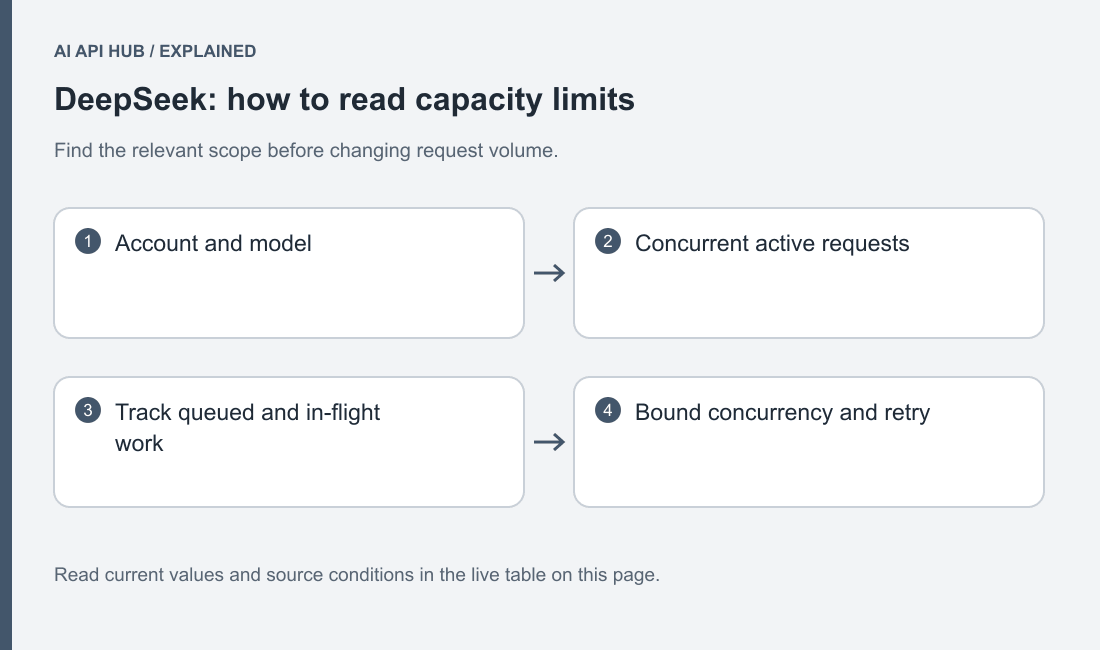
DeepSeek currently publishes active concurrency limits by account and model. A request remains active until its response completes, and calls made with different keys share the account calculation. This is different from treating a requests-per-minute figure as the only admission rule. Official DeepSeek documentation.
For your application, maintain a count of work that has been dispatched but has not reached a final outcome. Include streaming calls until they finish or are cancelled. If your workers only count jobs at submission time, the application can launch more overlapping work than intended while slow responses accumulate.
Separate user demand from provider admission. Accepting a task into your own queue need not immediately create a provider request. Give queued tasks a deadline and a visible state, then admit them when capacity is available. This lets the product handle a temporary burst without pretending that waiting work is already being processed by the model.
Limits by tier and model
| Model or scope | Tier | Metric | Limit | Notes | Source |
|---|---|---|---|---|---|
deepseek-flashdeepseek-flash | account default | concurrency | 2,500 | Account-wide active requests per model; not a requests-per-minute quota. | Official source ↗ |
deepseek-v4-prodeepseek-v4-pro | account default | concurrency | 500 | Account-wide active requests per model; not a requests-per-minute quota. | Official source ↗ |
Last verified · Source ↗
Read the metric name beside the value in the live table. A concurrency entry is not an inferred RPM or TPM allowance. Keep the provider’s units in your monitoring and use the relevant model’s published rule. For broader planning, connect this page with DeepSeek cost conditions and account grant conditions.
Measure request duration under the workload you intend to run. Long answers, reasoning and tool interactions can change how long application work remains outstanding. Keep the task-level measure separate from the duration of an individual HTTP call. A tool-driven task may perform several calls, with application work between them, and should not occupy a provider slot while your own tool is doing unrelated work.
Use a central admission mechanism when several processes share the account. A local counter in each worker cannot see the others. Record model, start time, completion state and a safe task identifier. Avoid personal information in operational identifiers and keep the data necessary to diagnose capacity separate from full prompt content.
How to move up a tier
The current DeepSeek capacity reference points to a capacity-expansion request for workloads needing additional concurrency. Follow that official process and describe the real application rather than assuming that buying credit automatically changes the published account allowance. Official DeepSeek documentation.
Prepare evidence that explains the need: how jobs arrive, how long representative requests remain active, which models are used and what happens when the queue grows. Include the desired user experience and whether work can wait. This is more actionable than a peak worker count without task duration or a list of keys that all belong to the same account.
Scale after the account’s actual capacity is confirmed. Increase admitted work in controlled steps while tracking queue age, completion quality and error rate. Keep a rollback setting so you can reduce concurrency without redeploying code. An expanded allowance changes what the service may accept; it does not prove that the rest of your application can process results safely at that pace.
Reading limit headers and 429 responses
The official error guide identifies rate limiting separately from balance and server failures. Inspect the actual safe response body and status to distinguish those conditions. This guide does not invent an undocumented universal reset-header contract for DeepSeek. Official DeepSeek documentation.
Capture only the headers and response metadata needed for diagnosis. Never include authorization values in a support bundle. Compare the rejection time with your own active-request count and recent dispatch decisions. A shared account makes this especially useful: the source of load may be another worker rather than the process that first observed the error.
DeepSeek also documents keep-alive behavior while a request waits. A streaming parser must tolerate the documented comment form, and a non-streaming reader must tolerate leading empty lines. Treat connection activity separately from a completed answer. Your user interface should not present a keep-alive event as generated content. Official DeepSeek documentation.
Retry strategy the provider recommends
The provider recommends pacing requests for rate errors and waiting briefly before retrying temporary server failures. Implement a bounded application retry policy with delayed attempts and a clear final failure state. Permanent validation, authentication and balance conditions need a different action. Official DeepSeek documentation.
Release or update your local admission state on every completion path, including cancellation and exceptions. A leaked slot can make a healthy account appear permanently saturated. Conversely, releasing the slot before the response is finished can make the counter understate active work. Test these paths with local fixtures before increasing live traffic.
Avoid overlapping retry layers. If the SDK retries internally and a worker also retries the whole task, the resulting call count can be larger than your application intended. Choose which layer owns the policy, record attempt numbers and apply a total task deadline. A useful retry produces another controlled attempt, not an invisible extension of an already expired user request.
Test the queue’s shutdown behavior as well as its steady operation. Pause dispatch, let accepted work reach a final state and inspect any remaining jobs before restarting. A controlled shutdown makes it easier to distinguish an account rejection from a process restart that lost its state. Keep cancellation visible in the task record so operators do not assume a cancelled job still needs a provider retry.
Batch/async options that bypass limits
Do not infer a quota bypass from a local batch loop, an asynchronous client or an off-peak billing condition. The current capacity reference applies to the requests admitted by the service. If you use a separate documented API interface, verify its own rules explicitly before assuming it changes account admission.
A local queue is still useful for deferrable jobs: preserve their input, admit a controlled amount of work and store each result with a stable task identifier. Resume only unfinished tasks after a restart. That design improves recovery and pacing even when it provides no special provider-side quota or billing treatment.
Use the AI API cost calculator to examine the cost of the whole planned workload separately from how quickly it runs. Then return to the DeepSeek API overview or Python tutorial for the request contract. Capacity planning is complete only when the application also knows what to do with a failed, cancelled or incomplete task.
Frequently asked questions
Are DeepSeek limits calculated per key?
Is concurrency the same as requests per minute?
Why can a stream use a slot after text first appears?
Does asynchronous Python bypass the limit?
Should every error be retried?
What should I include in a capacity request?
Sources
Last verified · Source ↗