Plan Gemini traffic around the project’s model-specific limits and billing tier. Track requests, token usage and applicable media metrics separately when diagnosing resource exhaustion.
How Google limits work
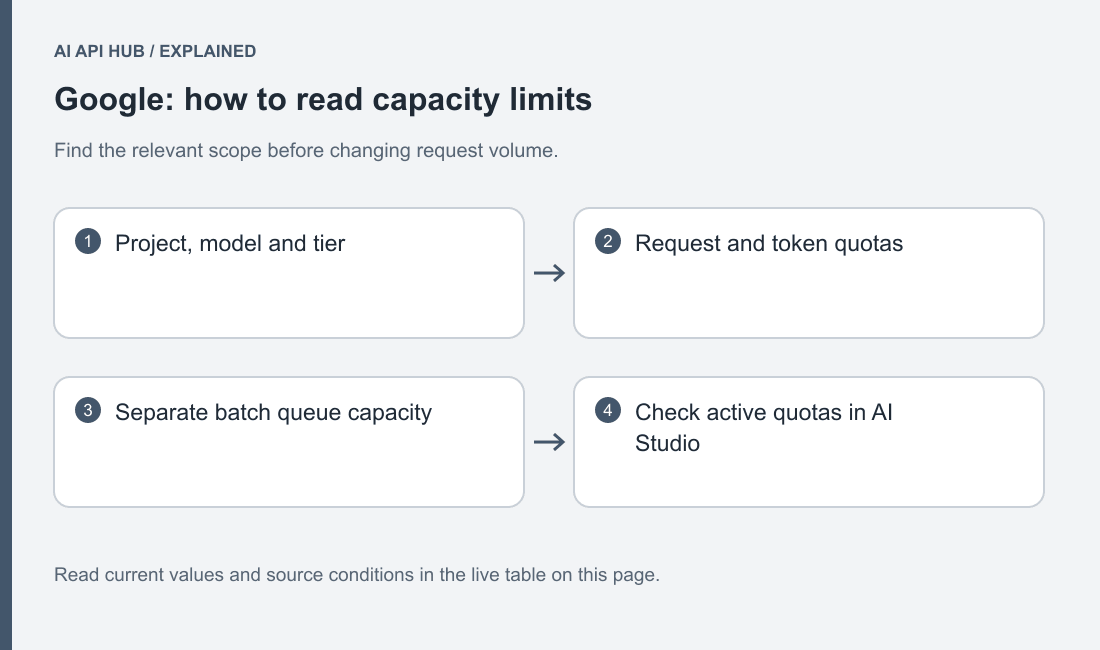
Gemini rate limits are evaluated per project and include different request, token and model-specific dimensions. Official documentation.
Keep separate queues for workload classes with different request sizes. A media-generation job and a short text lookup can stress different controls.
Map the application’s traffic by model and modality before choosing a queue policy. A short text lookup, a document-heavy question and generated media have different request shapes. Keep the project that owns each workload visible so another team’s experiment does not become an unexplained source of shared pressure.
Observe accepted completions and queue age alongside rejected requests. More workers are not automatically more useful throughput. Begin from a controlled baseline and alter one pacing decision at a time. Keep the model and input fixtures stable during the comparison so a media conversion change does not obscure the effect of the queue.
Limits by tier and model
| Model or scope | Tier | Metric | Limit | Notes | Source |
|---|---|---|---|---|---|
Gemini 2.5 Flashgemini-2.5-flash | Tier 1 | batch_queue | 3,000,000 | Batch enqueued tokens, not synchronous TPM. | Official source ↗ |
Gemini 2.5 Flash-Litegemini-2.5-flash-lite | Tier 1 | batch_queue | 10,000,000 | Batch enqueued tokens, not synchronous TPM. | Official source ↗ |
Gemini 2.5 Progemini-2.5-pro | Tier 1 | batch_queue | 5,000,000 | Batch enqueued tokens, not synchronous TPM. | Official source ↗ |
Gemini 3.1 Flash Lite Previewgemini-3.1-flash-lite-preview | Tier 1 | batch_queue | 10,000,000 | Batch enqueued tokens, not synchronous TPM. | Official source ↗ |
Gemini 3.1 Flash-Litegemini-3.1-flash-lite | Tier 1 | batch_queue | 10,000,000 | Batch enqueued tokens, not synchronous TPM. | Official source ↗ |
Gemini 3.1 Pro Previewgemini-3.1-pro-preview | Tier 1 | batch_queue | 5,000,000 | Batch enqueued tokens, not synchronous TPM. | Official source ↗ |
Gemini 3.5 Flashgemini-3.5-flash | Tier 1 | batch_queue | 3,000,000 | Batch enqueued tokens, not synchronous TPM. | Official source ↗ |
Gemini 3.5 Flash-Litegemini-3.5-flash-lite | Tier 1 | batch_queue | 10,000,000 | Batch enqueued tokens, not synchronous TPM. | Official source ↗ |
Gemini 3.6 Flashgemini-3.6-flash | Tier 1 | batch_queue | 3,000,000 | Batch enqueued tokens, not synchronous TPM. | Official source ↗ |
Gemini 3.7 Flashgemini-3.7-flash | Tier 1 | batch_queue | 3,000,000 | Batch enqueued tokens, not synchronous TPM. | Official source ↗ |
Gemini 3.8 Flashgemini-3.8-flash | Tier 1 | batch_queue | 3,000,000 | Batch enqueued tokens, not synchronous TPM. | Official source ↗ |
Gemini 2.5 Flashgemini-2.5-flash | Tier 2 | batch_queue | 400,000,000 | Batch enqueued tokens, not synchronous TPM. | Official source ↗ |
Gemini 2.5 Flash-Litegemini-2.5-flash-lite | Tier 2 | batch_queue | 500,000,000 | Batch enqueued tokens, not synchronous TPM. | Official source ↗ |
Gemini 2.5 Progemini-2.5-pro | Tier 2 | batch_queue | 500,000,000 | Batch enqueued tokens, not synchronous TPM. | Official source ↗ |
Gemini 3.1 Flash Lite Previewgemini-3.1-flash-lite-preview | Tier 2 | batch_queue | 500,000,000 | Batch enqueued tokens, not synchronous TPM. | Official source ↗ |
Gemini 3.1 Flash-Litegemini-3.1-flash-lite | Tier 2 | batch_queue | 500,000,000 | Batch enqueued tokens, not synchronous TPM. | Official source ↗ |
Gemini 3.1 Pro Previewgemini-3.1-pro-preview | Tier 2 | batch_queue | 500,000,000 | Batch enqueued tokens, not synchronous TPM. | Official source ↗ |
Gemini 3.5 Flashgemini-3.5-flash | Tier 2 | batch_queue | 400,000,000 | Batch enqueued tokens, not synchronous TPM. | Official source ↗ |
Gemini 3.5 Flash-Litegemini-3.5-flash-lite | Tier 2 | batch_queue | 500,000,000 | Batch enqueued tokens, not synchronous TPM. | Official source ↗ |
Gemini 3.6 Flashgemini-3.6-flash | Tier 2 | batch_queue | 400,000,000 | Batch enqueued tokens, not synchronous TPM. | Official source ↗ |
Gemini 3.7 Flashgemini-3.7-flash | Tier 2 | batch_queue | 400,000,000 | Batch enqueued tokens, not synchronous TPM. | Official source ↗ |
Gemini 3.8 Flashgemini-3.8-flash | Tier 2 | batch_queue | 400,000,000 | Batch enqueued tokens, not synchronous TPM. | Official source ↗ |
Gemini 2.5 Flashgemini-2.5-flash | Tier 3 | batch_queue | 1,000,000,000 | Batch enqueued tokens, not synchronous TPM. | Official source ↗ |
Gemini 2.5 Flash-Litegemini-2.5-flash-lite | Tier 3 | batch_queue | 1,000,000,000 | Batch enqueued tokens, not synchronous TPM. | Official source ↗ |
Gemini 2.5 Progemini-2.5-pro | Tier 3 | batch_queue | 1,000,000,000 | Batch enqueued tokens, not synchronous TPM. | Official source ↗ |
Gemini 3.1 Flash Lite Previewgemini-3.1-flash-lite-preview | Tier 3 | batch_queue | 1,000,000,000 | Batch enqueued tokens, not synchronous TPM. | Official source ↗ |
Gemini 3.1 Flash-Litegemini-3.1-flash-lite | Tier 3 | batch_queue | 1,000,000,000 | Batch enqueued tokens, not synchronous TPM. | Official source ↗ |
Gemini 3.1 Pro Previewgemini-3.1-pro-preview | Tier 3 | batch_queue | 1,000,000,000 | Batch enqueued tokens, not synchronous TPM. | Official source ↗ |
Gemini 3.5 Flashgemini-3.5-flash | Tier 3 | batch_queue | 1,000,000,000 | Batch enqueued tokens, not synchronous TPM. | Official source ↗ |
Gemini 3.5 Flash-Litegemini-3.5-flash-lite | Tier 3 | batch_queue | 1,000,000,000 | Batch enqueued tokens, not synchronous TPM. | Official source ↗ |
Gemini 3.6 Flashgemini-3.6-flash | Tier 3 | batch_queue | 1,000,000,000 | Batch enqueued tokens, not synchronous TPM. | Official source ↗ |
Gemini 3.7 Flashgemini-3.7-flash | Tier 3 | batch_queue | 1,000,000,000 | Batch enqueued tokens, not synchronous TPM. | Official source ↗ |
Gemini 3.8 Flashgemini-3.8-flash | Tier 3 | batch_queue | 1,000,000,000 | Batch enqueued tokens, not synchronous TPM. | Official source ↗ |
Last verified · Source ↗
Match the table’s model and tier to the project you are investigating. Public documentation describes available rules; the account’s current view establishes its actual operating conditions. Preserve the date of the check and leave unpublished values unresolved instead of borrowing another project’s screenshot.
Set different application expectations for interactive and offline work. A user waiting for a response needs a clear fallback, while an evaluation job can remain pending. Decide that behavior explicitly and test it before rollout. Otherwise the first rejected request forces the application to invent a recovery policy under pressure.
How to move up a tier
Billing history and the project’s usage tier affect the available limits. Inspect the current AI Studio view and documented qualification path. Official documentation.
Describe expected traffic with its model and media mix before requesting more capacity.
Explain a capacity need in terms of the real model and media mix. Include the arrival pattern, expected completion behavior and pacing already implemented. Identify which project owns the request so its administrator can inspect billing and permissions together with the provider’s qualification path.
Do not assume an intended upgrade is already available. Keep the current confirmed allocation as the rollout basis until the account or provider establishes a change. If the application cannot meet its goal under current conditions, narrow its launch or adjust the processing workflow while the capacity question remains unresolved.
Reading limit headers and 429 responses
The troubleshooting guide distinguishes resource exhaustion from invalid input and permission problems. Inspect the actual response details before selecting a retry strategy. Official documentation.
Save the actual exception details with the interface, model and project context. A resource-exhaustion condition is different from a key migration failure or an unsupported media field. Keep these categories distinct in monitoring so the right owner receives the right investigation.
When failures begin after a deployment, inspect the traffic ramp and accumulated queue before changing the model. A restarted process may submit pending work faster than normal traffic. Pause the ramp, inspect representative responses and decide how to resume. Avoid repeatedly replacing credentials when the evidence points to request capacity.
Retry strategy the provider recommends
Google recommends backoff with jitter and bounded retries for transient errors. Client and permission errors should be repaired first. Official documentation.
Account for SDK retry behavior so application retries do not unintentionally multiply requests.
Account for the SDK’s recovery behavior before adding an application-level loop. Give work a useful lifetime and preserve an incomplete result when that lifetime expires. A diagnostic script and a production worker may need different recovery policies, but neither should retry without a bound or without distinguishing the error condition.
For media generation, keep the application task identity and result reconciliation clear. Do not let recovery create an unexplained collection of outputs that the user never requested. Inspect the API workflow’s actual result state and define how accepted, failed and abandoned tasks are represented in your own application.
Batch/async options that bypass limits
The Batch API processes non-urgent work asynchronously through generateContent. Inspect its own documented limits and result states. Official documentation.
Connect batch cost assumptions with the project’s current offer.
Use the AI API cost calculator to turn the model and workload you are considering into an estimate.
The current Gemini batch guide specifies a generateContent workflow, so verify interface compatibility before moving an Interactions application. Treat the move as a small integration change: validate the input records, result matching and failure handling with safe fixtures before scheduling a larger job.
Give every item a stable identifier and reconcile individual results. Keep accepted work separate from items that need recovery. A batch completion state does not establish that every output satisfies the application’s quality criteria. Evaluate those results just as deliberately as synchronous responses and keep the operator informed about incomplete or rejected items.
Last verified · Source ↗
Frequently asked questions
Are quotas per API key?
Can preview models have different constraints?
Should I retry permission errors?
Does batch make account limits irrelevant?
What belongs in a capacity report?
Sources
- Gemini API getting started ↗
- Gemini models ↗
- Developer API pricing ↗
- Rate limits ↗
- API-key management ↗
- API errors ↗
- Troubleshooting ↗
- Billing ↗
- Context caching ↗
- Batch API ↗
- Python SDK reference ↗
Last verified · Source ↗